

Terms (Bounds)/Triplicities/Face and Planetary Sect – settings, example screenshots and an animated GIF
Primary Directions and Terms (Bounds)
Note that currently to use PD for Terms the settings are:
Desc may also be selected. An opposition aspect must also be selected. Note that a conjunction to the Asc is automatically an opposition to the Desc.
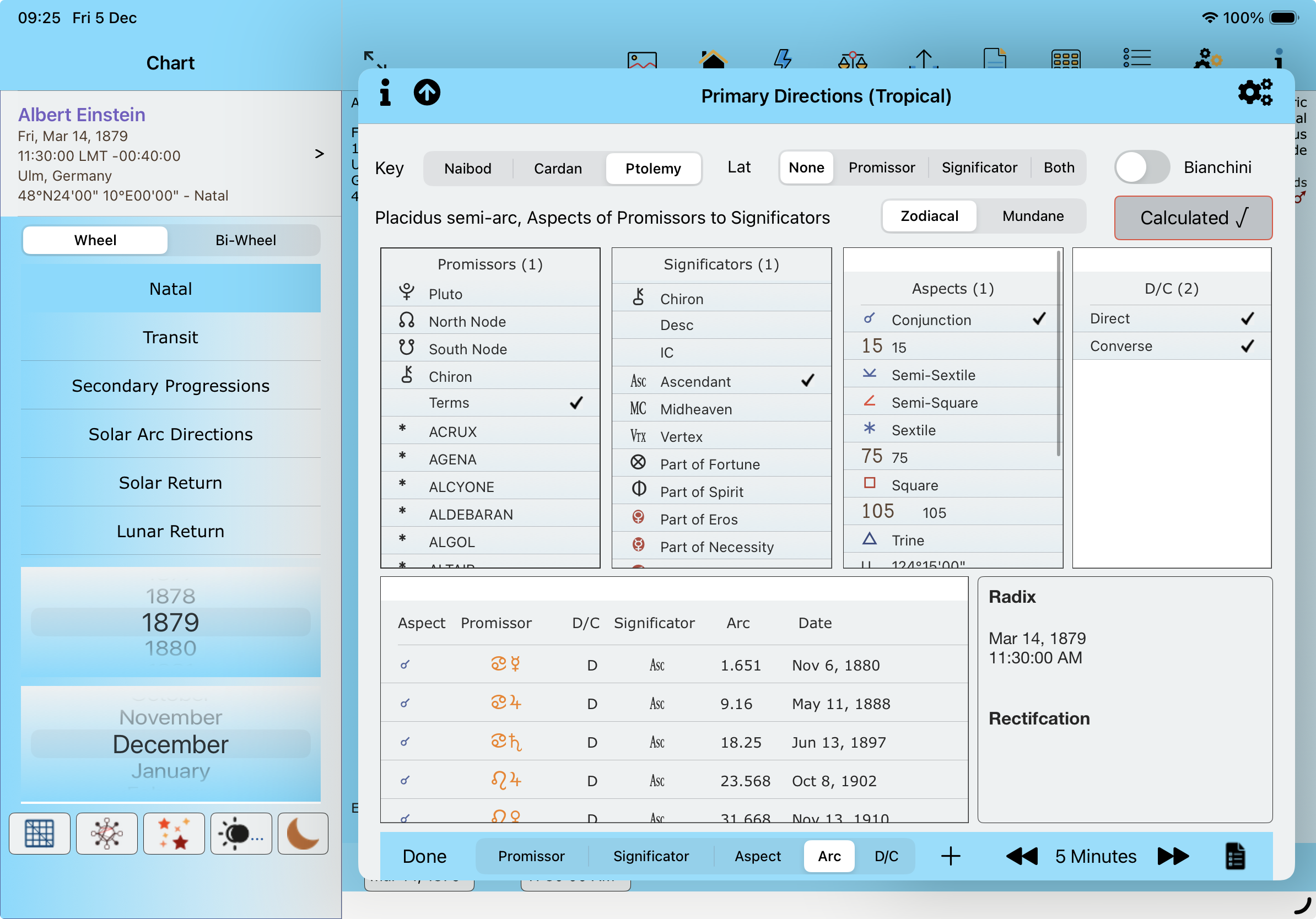
Terms for PD – direct results only shown – an option being tested.
Note that no other Promissors can be selected. This will be removed in the next AC version, 3.39 so that Directions and Terms can be shown/selected together.
Next AC version, 3.39. iPad released first, iPhone to follow.
Added Primary Directions: Terms | Directions | Terms + Directions. Terms: Direct Only for the Results table.
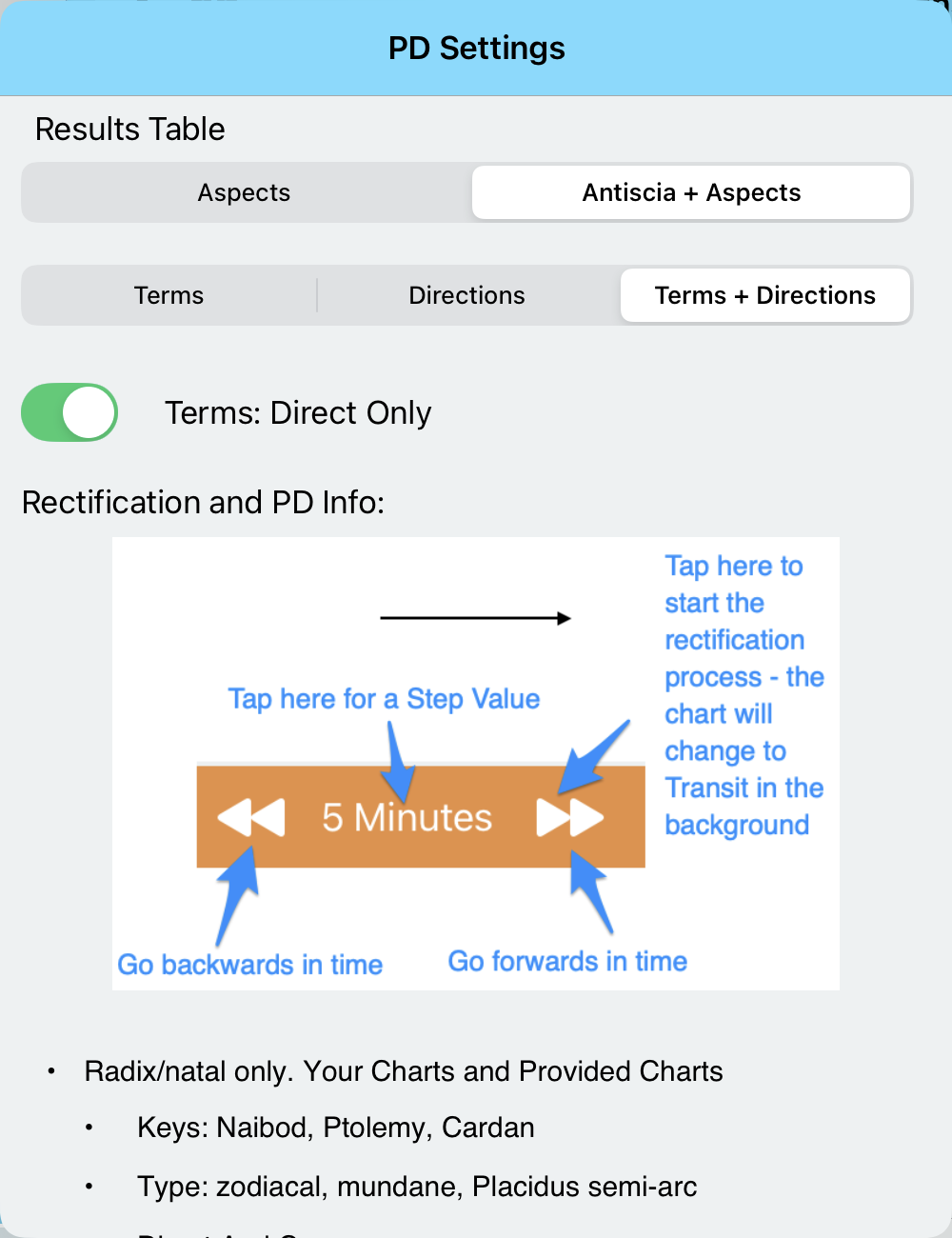
New PD Settings. These are the default.
Terms output conj only, if selected. If not, direct and/or converse. Directions: any aspect.
Terms: Direct Only applies only to Terms and does not affect Direct/Converse for Directions.
How to set the Bounds/Terms – same for iPad/Mac/iPhone

Chart Settings iPhone

Terms/Bounds – iPhone
Settings
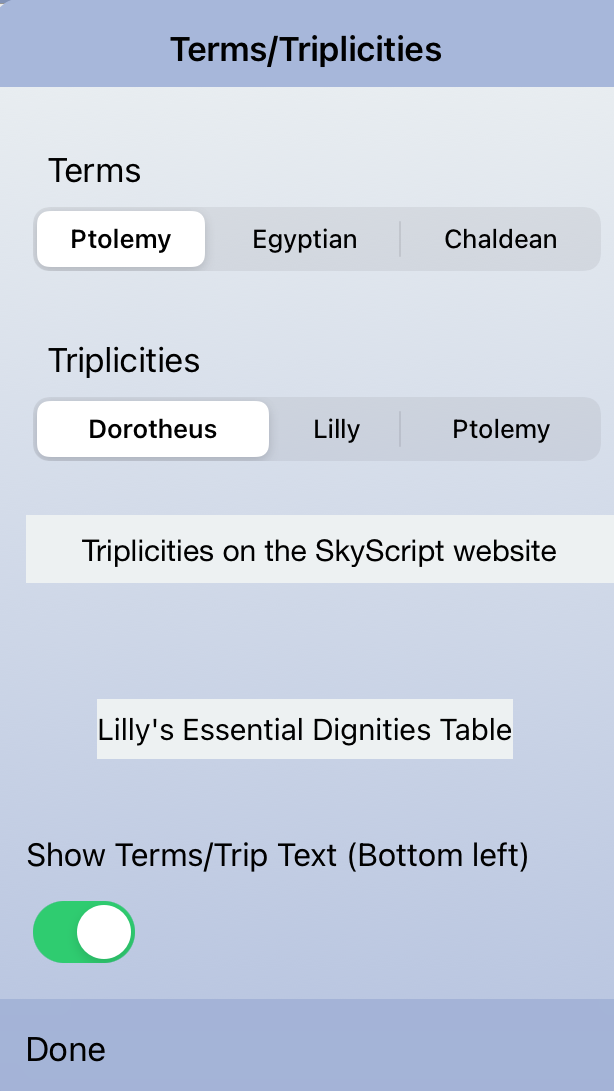
Terms/Trip settings – some text maybe missing for iPhone, and/or abbreviated. Show Terms/Trip is Bottom right for iPhone
iPhone abbreviations
Doro. = Dorotheus
Trip = Triplicities
Ptol. = Ptolemy
Egyp. = Egyptian
Chal. = Chaldean
See also, Wheel Choice/Type
Face added for iPad/Mac

Wheel Choice – iPad
Wheel Choice – iPhone

Wheel Choice – iPhone
Added: Terms and Face (iPad/Mac)

Note that Planetary Sect was added after the animated GIF.
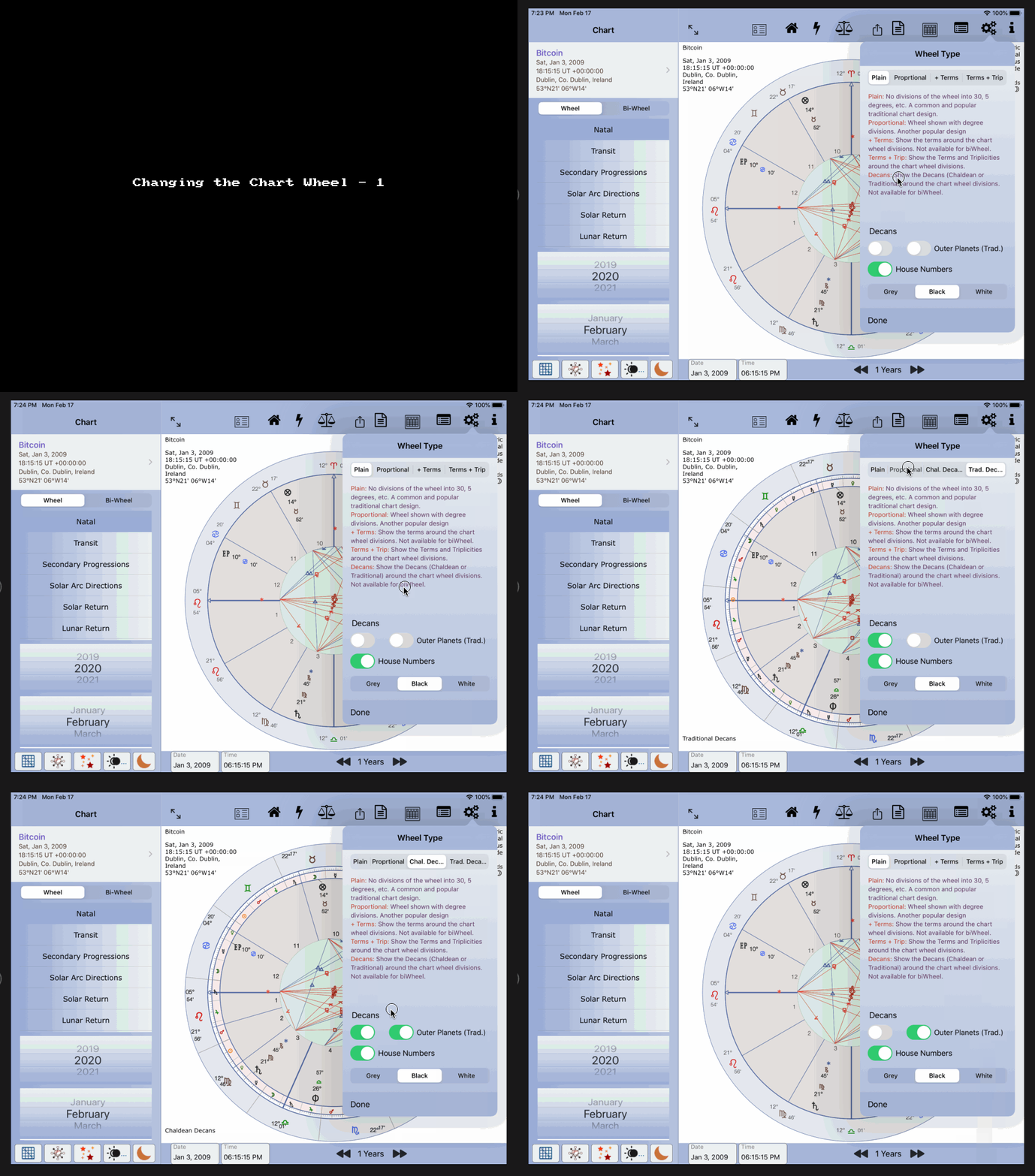
Changing Chart Wheel
Terms Example
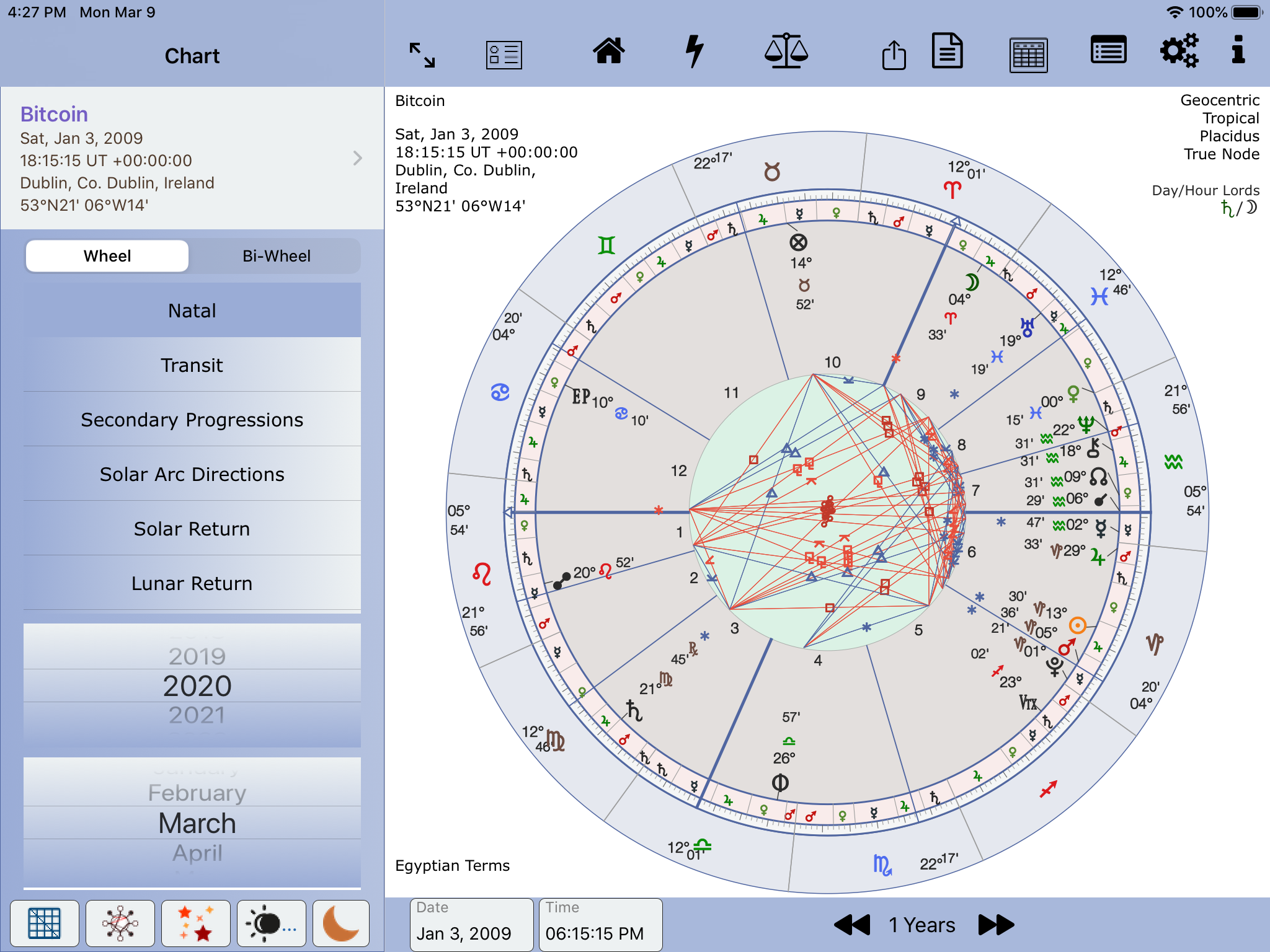
Terms Example
Full Landscape (iPad/Mac only)
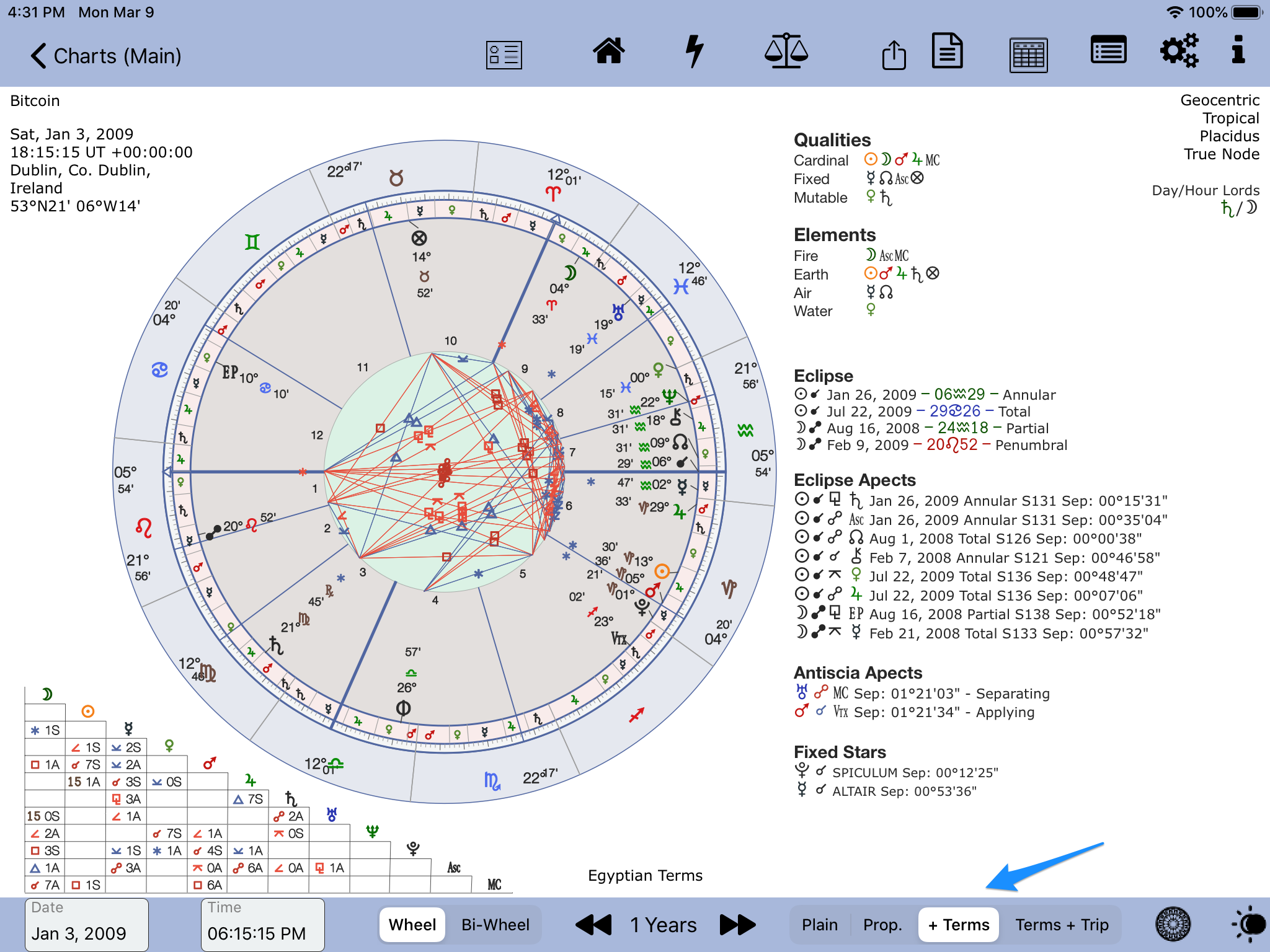
Full landscape wheel choice
Essential Dignities and Debilities View #9 (iPad/Mac)
For all charts, single and bi-wheel, excluding Gauquelin. For Your Charts and Provided charts.
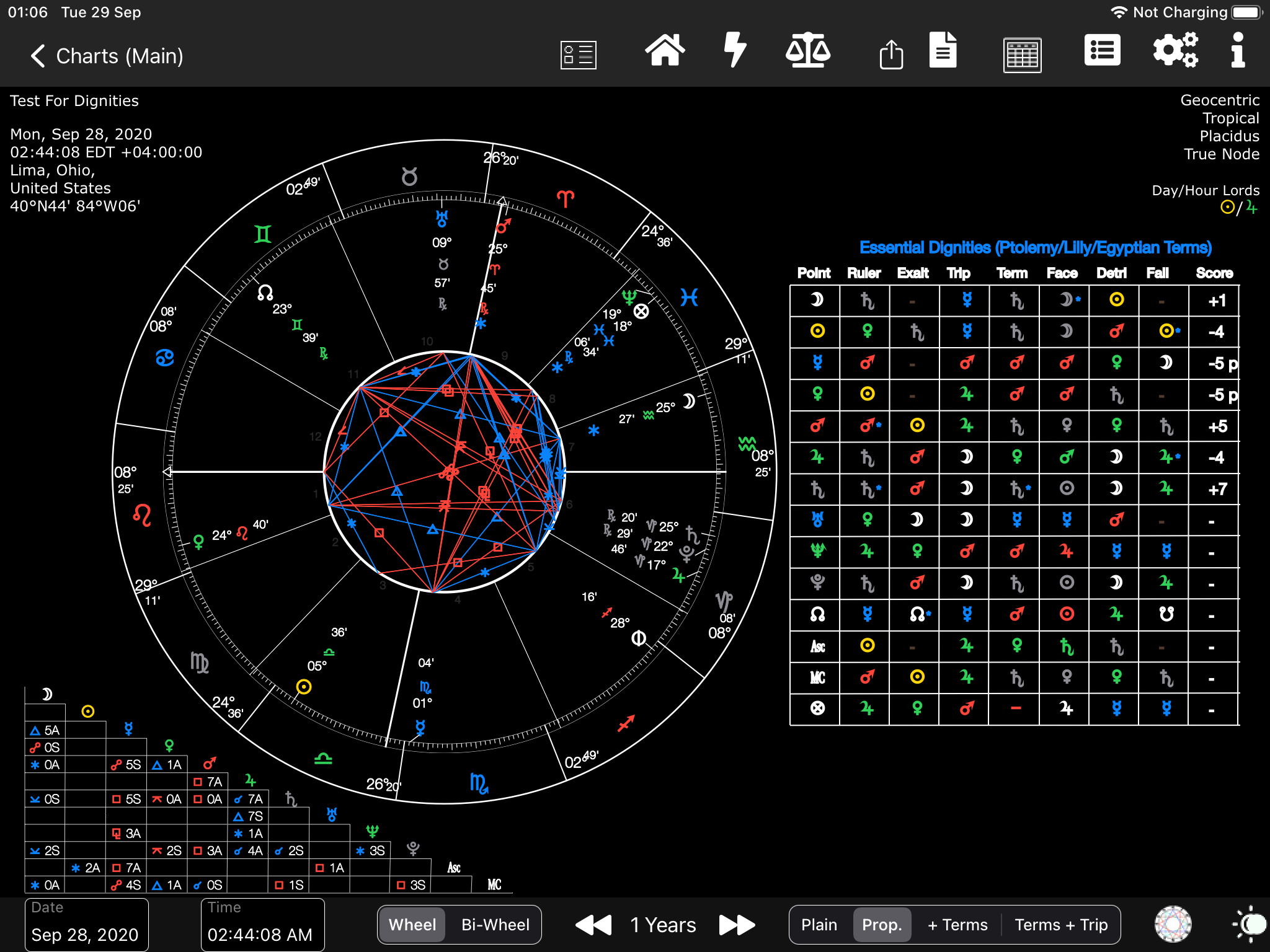
Full Landscape for Essential Dignities
Long Press over the displayed table
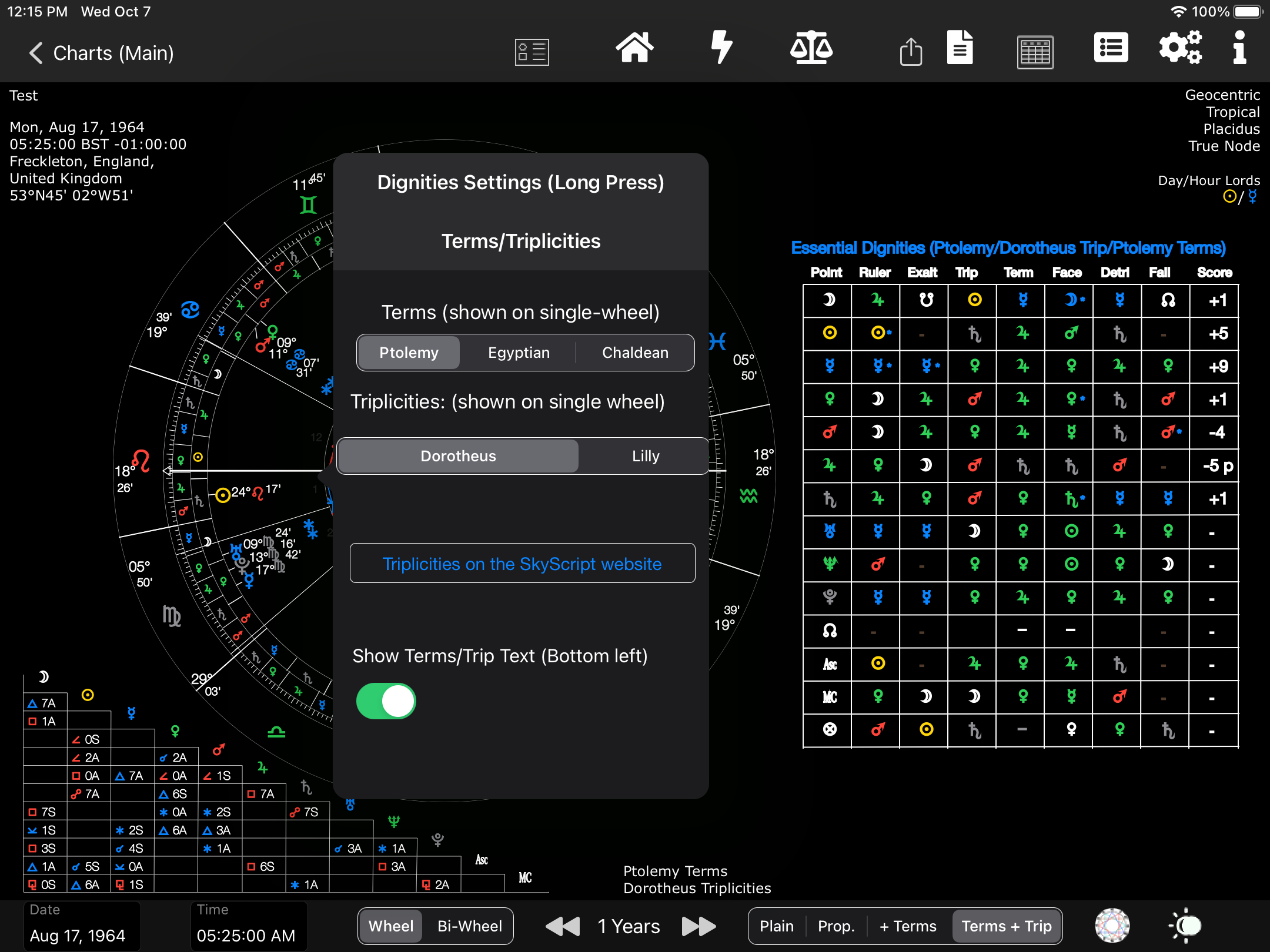
Long press Terms Triplicities settings
Essential Dignities and Debilities from the top menu icon – Planetary sect now available (see iPhone screenshot below)

New Top menu icons
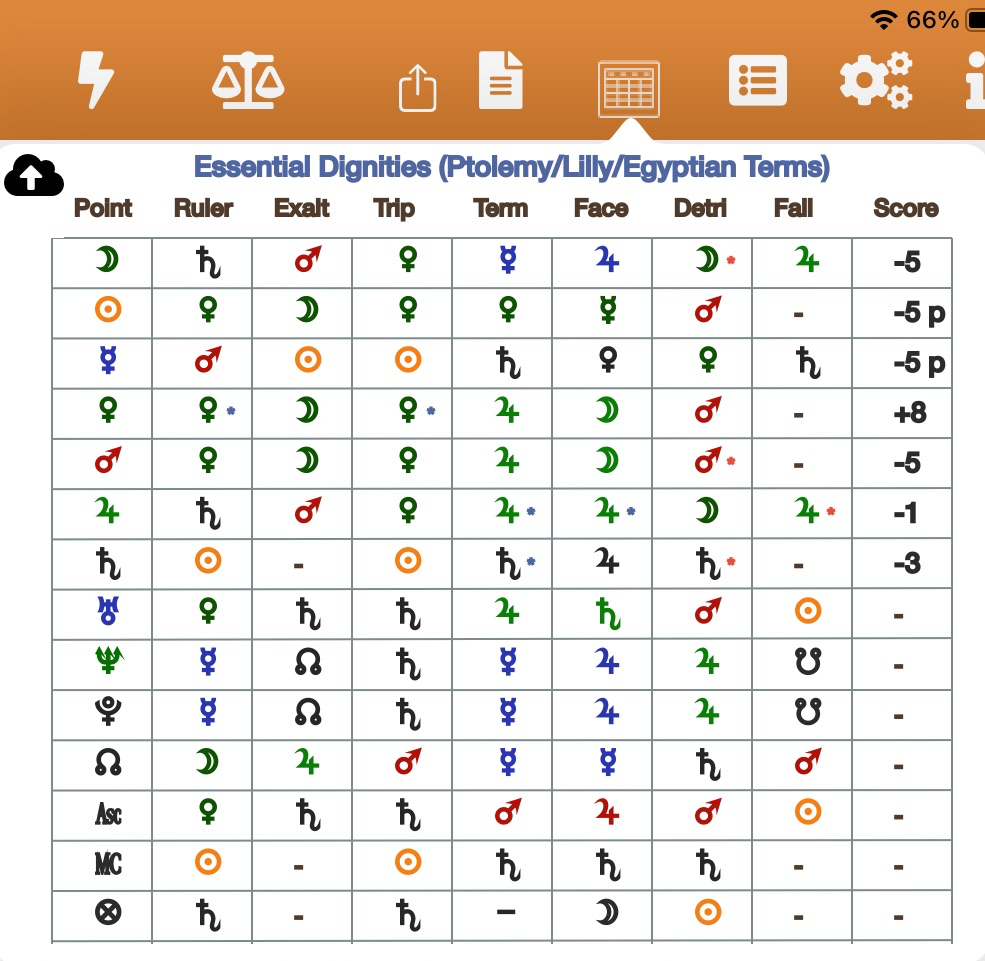
Egyptian Terms
Dignities/Sect – iPhone

Dignities/Planetary Sect – iPhone